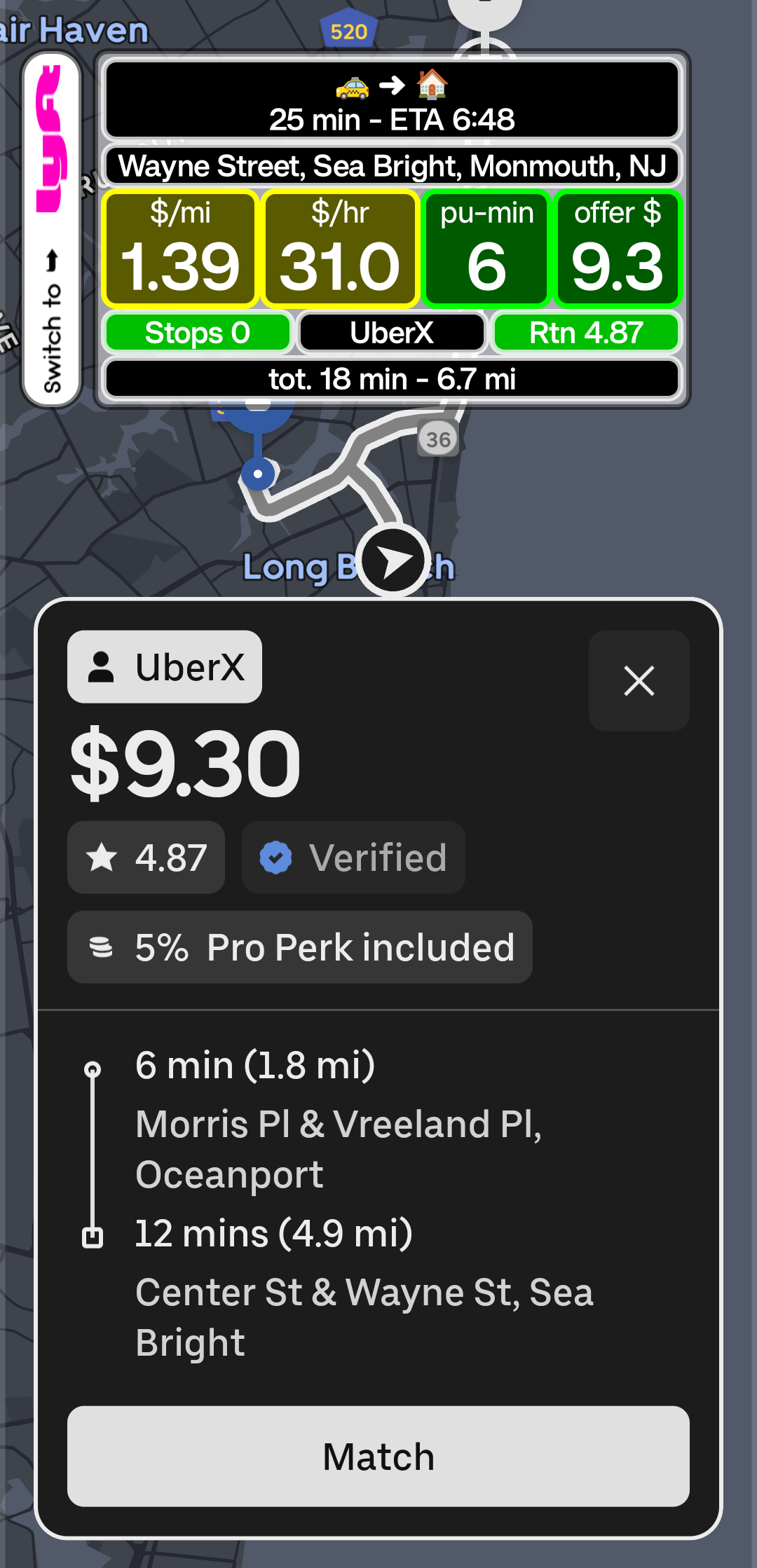
Does it accept or decline trips for me?
No. There is no auto-accepting and no bot behavior. CherrySpotter only shows information. You make every decision.
Does it need my Uber or Lyft login or access my driver account?
No. CherrySpotter never asks for your Uber or Lyft login or password and does not connect to your driver account. It only reads what is already shown on your screen while the driver app is open, and it never taps, accepts, declines or changes anything in the ride app. You sign in only to CherrySpotter, with your Google account, for your license.
Which platforms and phones does it support?
It works with the Uber and Lyft driver apps on Android phones and tablets, Android 11 or newer. iPhone is not supported.
Why does it need Accessibility and other permissions?
Reading the offer screen, drawing the Cherry card on top of the ride app, and waking up at the right time each need a specific Android permission. The setup guide in the app explains every one and how to allow it.
Can I use it while driving?
The Cherry card is designed for a quick glance so you look at your phone less, but it does not make using a phone while driving safe or legal. You are always responsible for driving safely. Follow local laws and use your phone only when it is safe and legal to do so.
How does the free trial work?
Download the app, open it, sign in with your Google account and tap Start 14-day free trial. A secure Stripe page opens on your phone; no credit card is required for the trial. When you go back to the app it activates by itself. Before the trial ends you can add payment details from Manage Subscription in the app (Stripe may also email you a reminder). After that the subscription costs $2.99 per month (plus any tax shown at checkout), renews monthly, and you can cancel any time from Manage Subscription. If you cancel during the free trial, access ends right away; if you cancel a paid subscription, it keeps working until the end of the period you paid for. If you add nothing, access simply pauses and you can resume later.
How much does it cost, and can I get a refund?
$2.99 per month (USD, plus any sales tax or VAT shown at checkout) after the 14-day free trial, which needs no credit card. You can cancel any time from Manage Subscription in the app and keep access until the end of the period you paid for. If you are not satisfied, email us within 7 days of your first payment for a full refund. The details are in the refund and cancellation policy.
Can the price change?
Possibly in the future, but never without notice. If we change the price, we tell you at least 30 days before it applies to your next renewal (in the app, on this website or by email through Stripe), and you can cancel first. Until then you keep paying the price you agreed to. The full wording is in the Terms of Service.
Who can get a free trial, and why was mine refused?
A free trial is for one person on one phone, so it stays fair for everyone. One unpaid free trial per person at a time: Google accounts and email addresses that reach the same mailbox count as one person (name+promo@gmail.com, na.me@gmail.com and name@gmail.com are the same person). One free trial per phone. Start it from the main profile of your phone, not from Dual Messenger, Secure Folder, a work profile or another user, because each of those looks like a separate phone. And at most 5 new trials a day can start from one Wi-Fi or mobile connection (a shared office or hotspot can reach that; try again tomorrow or on another network).
After your first license has been paid for, you can buy another one (for example for a second phone) and it starts its own free trial. If the app tells you a trial cannot start, it says why and what to do. Anything unclear? Email support@cherrypickerapp.com.
Do I need a license key? How do I sign in?
There are no license keys. Your license belongs to the Google account you sign in with in the app, so there is nothing to copy, lose or type. New phone, reinstalled the app, or cleared its data? Open the app, sign in with the same Google account, and it finds your license by itself. We only receive your Google email address and a unique account ID from Google, never your Google password (see the Privacy Policy).
Can I use my license on a second phone?
One license works on one phone at a time. To move it, open the app on the old phone and tap Sign out (that gives the license back), then sign in on the new phone. A license can be put on up to 3 different phones in 30 days. If you no longer have the old phone, email support@cherrypickerapp.com and we will deactivate it for you. For a second phone at the same time, buy a second license from the app.
What does “beta” mean?
Direction & ETA (the Home, Work or New destination arrow and your arrival time on the Cherry card) is a beta feature. Beta means it is still being tested: it may change, it may be limited or offered only through paid credits (how that would work and what it would cost has not been decided), or it may stop at any time. Whatever happens to it, the core of the app, the Cherry card with your numbers and limits, is not affected. Drop-off places is not beta: it runs on our own address server.
Can Uber or Lyft take action on my account for using it?
CherrySpotter is independent and not affiliated with Uber or Lyft. Platforms set their own rules and can change them, so please review the terms of the platforms you drive for. See our Terms of Service.